Shark TurboBlade Fan + Heat review
The Shark TurboBlade Bladeless Tower Fan + Heat cools in summer and heats in winter. It has ten fan speeds, Sleep, Breeze Boost and Natural Breeze modes, heating from about 60°F to 90°F with Thermo IQ temperature control, Comfort and Focus heating modes, a head that tilts up to about 90 degrees, 45, 90 or 180 degree oscillation, a 1 to 8 hour timer and a remote with a display. I tested it for three weeks in three rooms. It was quiet on low, warmed rooms steadily and replaced two appliances, though switching modes needs the dial.

Emily Carter
Hands-on review
Hands-on testing, research, specs
3 weeks
26 minutes
Jargon helpNew to this kind of product? Tap any dotted term to see what it means.
In this review
Yes, if you want one appliance to keep you cool in summer and warm in winter. The Shark TurboBlade Fan + Heat gave a strong breeze on high and a soft one on low, and its Natural Breeze and Sleep modes made long sessions comfortable. In heat mode, Thermo IQ held my office within about 1.5°F of the target, and Focus mode warmed my legs at my desk in minutes. The tilt, oscillation and timer gave fine control from the remote. Switching between heating and cooling needs the dial, it needs some assembly and heating suits one room at a time, but it is a versatile, well-designed fan heater.
Shark TurboBlade Fan + Heat at a glance
Shark TurboBlade Fan + Heat pros and cons
- Cools and heats in one appliance
- Thermo IQ holds a steady temperature
- Tilt, oscillation and timer from the remote
- Mode switch needs the top dial
- Needs some assembly
- Heating suits one room at a time
Who should buy the Shark TurboBlade Fan + Heat?
- People who want one fan for all seasons
- Home offices
- Bedrooms
- Large open-plan spaces
- People who want air conditioning
- Very small rooms with no floor space
First impressions of the Shark TurboBlade Fan + Heat
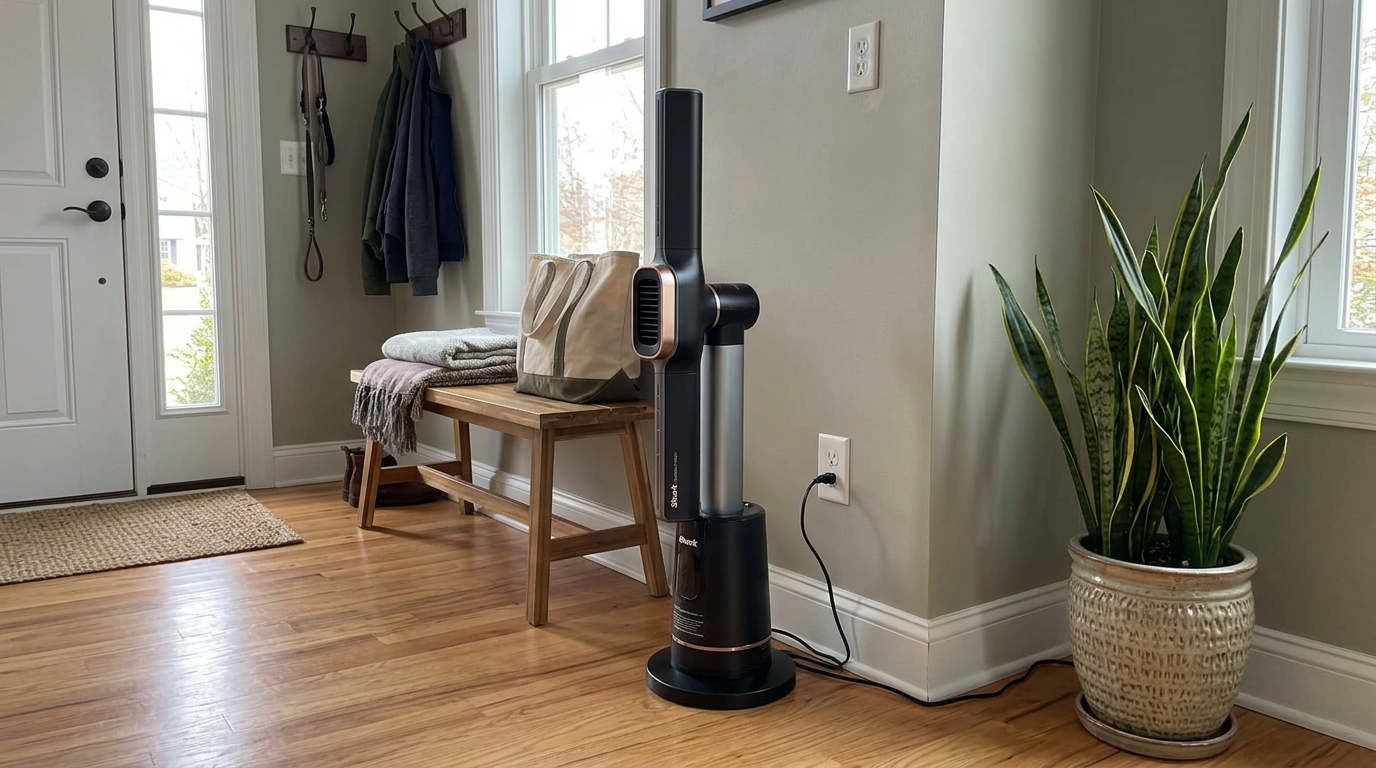
The Shark TurboBlade Fan + Heat is a tall, modern fan that cools in summer and heats in winter.
It does not look like a traditional pedestal fan.
The slim body holds the motor, and an angled blade head on top directs the airflow.
A dial on top switches between cooling, marked in blue, and heating, marked in red.
It comes with a small remote that controls almost everything, including speed, modes, oscillation, temperature and the timer.
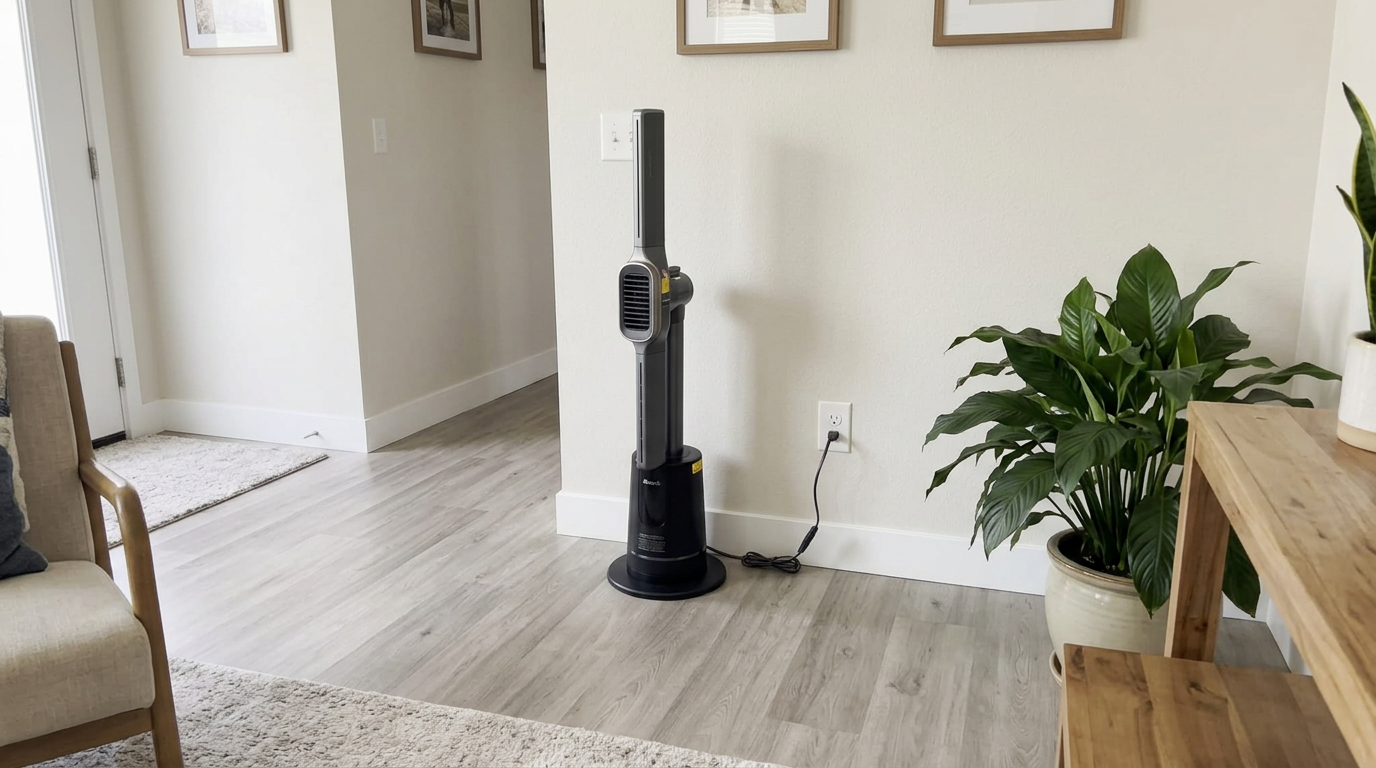
The Shark TurboBlade Fan + Heat in my living room.
I tested it for three weeks in a living room, a bedroom and a home office during a mix of mild autumn afternoons and cold mornings.
That gave me a chance to test both cooling and heating extensively.
Our tip: Unpack every part and lay them out before assembly, because checking that you have the base, body, head and remote first makes setup quicker and avoids surprises.
Assembly and setup
The fan arrives in a few separate parts, each packed securely.
Assembly took about ten minutes.
I set the base plate on the floor, fitted the main body onto it and twisted it until it locked.
Then I aligned the next section with its connection points and twisted the two together.
Finally, I fitted the blade assembly on top.
Each step clicked firmly into place, and the finished fan felt solid.
| Step | Time | Notes |
|---|---|---|
| Unpack parts | About 3 minutes | Each part wrapped separately |
| Base and body | About 2 minutes | Twist to lock |
| Upper section | About 2 minutes | Align connection points |
| Blade assembly | About 2 minutes | Check it is seated |
| First power-on | A few seconds | Startup chime |
Our tip: Make sure every section clicks and locks before switching on, because a loose connection can make the fan less stable and affect how it oscillates.
Size and space
The fan stands about 32 inches tall in its shorter setting and extends to about 46 inches.
The base is about 11.5 inches deep, which is compact for a fan this tall.
The adjustable height let me match the airflow to where I sat.
The taller setting suited the couch, and the shorter one suited my desk.
It needs clear space around it for oscillation.
I kept about a foot free on each side.
Fan dimensions.
Our tip: Choose the height that puts the airflow at the level where you sit, because a fan aimed at your upper body feels far more effective than one blowing at your knees.
The remote control
The remote was one of my favorite parts.
It controls power, fan speed, modes, oscillation, temperature and the timer.
When I changed the heating temperature, the remote showed the setting on its own small display, so I did not need to walk over to check.
The fan plays a short chime when it turns on, which confirmed it had received the command from across the room.
The only thing the remote cannot do is switch between cooling and heating.
That uses the dial on top of the fan.
Our tip: Keep the remote on a side table or in a set spot, because its small size makes it easy to lose and almost every adjustment is easier from your seat.
Cooling performance
In cooling mode, there are ten fan speeds.
The lowest speeds gave a gentle breeze I barely noticed.
The highest gave a strong stream of air I could feel across the room.
I measured airflow speed at 6 feet with a handheld anemometer.
Airflow felt at 6 feet at different speeds.
Like any fan, it does not lower the room temperature.
It moves air across your skin, which makes you feel cooler.
On a warm afternoon, speed 6 with oscillation kept my living room comfortable.
Our tip: Use a medium speed with oscillation for everyday cooling, because moving air gently around the room often feels more comfortable than a strong, fixed blast.
Sleep, Breeze Boost and Natural Breeze
Three special modes changed how the cooling felt.
| Mode | What it does | When I used it |
|---|---|---|
| Sleep | Dims lights, mutes chimes, gentle speed | Bedtime |
| Breeze Boost | Powerful burst of airflow | Coming into a warm room |
| Natural Breeze | Varies the airflow like wind | Relaxing on the couch |
Sleep mode was ideal for the bedroom.
The lights dimmed, the chimes went quiet and the fan settled to a soft speed.
Breeze Boost cooled me down quickly after cooking in a hot kitchen.
Natural Breeze felt more relaxing than a constant stream, because the airflow rose and fell gently.
Our tip: Try Natural Breeze for long sessions, because varying airflow feels more like an open window and can be less tiring than a constant stream of air.
Heating performance
Turning the top dial to red switches the fan to heating.
Warm air came out within a few seconds.
The heat felt gentle and even, not scorching.
In my 150-square-foot home office, the room rose from 61°F to 68°F in about 20 minutes.
In my larger living room, it took about 35 minutes to raise the temperature by 6°F.
Time to warm each room on heat mode.
It works best as supplemental heat in one room, not as a replacement for central heating.
Our tip: Close the door of the room you are heating, because a fan heater warms one room much faster when warm air is not escaping into the rest of the house.
Thermo IQ temperature control
Thermo IQ lets you set a target temperature between about 60°F and 90°F.
The fan heats until the room reaches the target, then switches the heat off.
When the room cools again, it starts heating again.
It works like a thermostat✕ThermostatA control that measures the room temperature and switches heating on or off to hold a set target temperature. built into the fan.
I set 68°F in my office.
Over two hours, the room stayed within about 1.5°F of the target.
Room temperature over two hours with Thermo IQ set to 68°F.
It saved energy, because the heater did not run constantly once the room was warm.
Our tip: Set Thermo IQ a couple of degrees lower than you think you need, because a steady 66 to 68°F often feels comfortable and uses less energy.
Comfort and Focus modes
There are two heating modes.
Comfort mode spreads gentle warmth for long sessions.
It was my choice for the living room in the evening.
Focus mode concentrates the heat in one direction.
At my desk, it warmed my legs and feet quickly without heating the whole room.
Both modes let me adjust the fan speed to change how strongly the warm air reached me.
| Mode | Best for | What I noticed |
|---|---|---|
| Comfort | Living rooms, long sessions | Even, gentle warmth |
| Focus | Desks, reading chairs | Concentrated warmth where you sit |
Our tip: Use Focus mode aimed at your legs when sitting still, because warm feet and legs make you feel comfortable at a lower room temperature.
Tilting the blade head
The blade head tilts up and down by up to about 90 degrees, separately from oscillation.
That gave me fine control over where the air went.
On the couch, I tilted it slightly up to reach my upper body.
At my desk, I tilted it down toward my legs for heating.
Tilting it up toward the ceiling in cooling mode helped circulate air around the whole room without a direct draft.
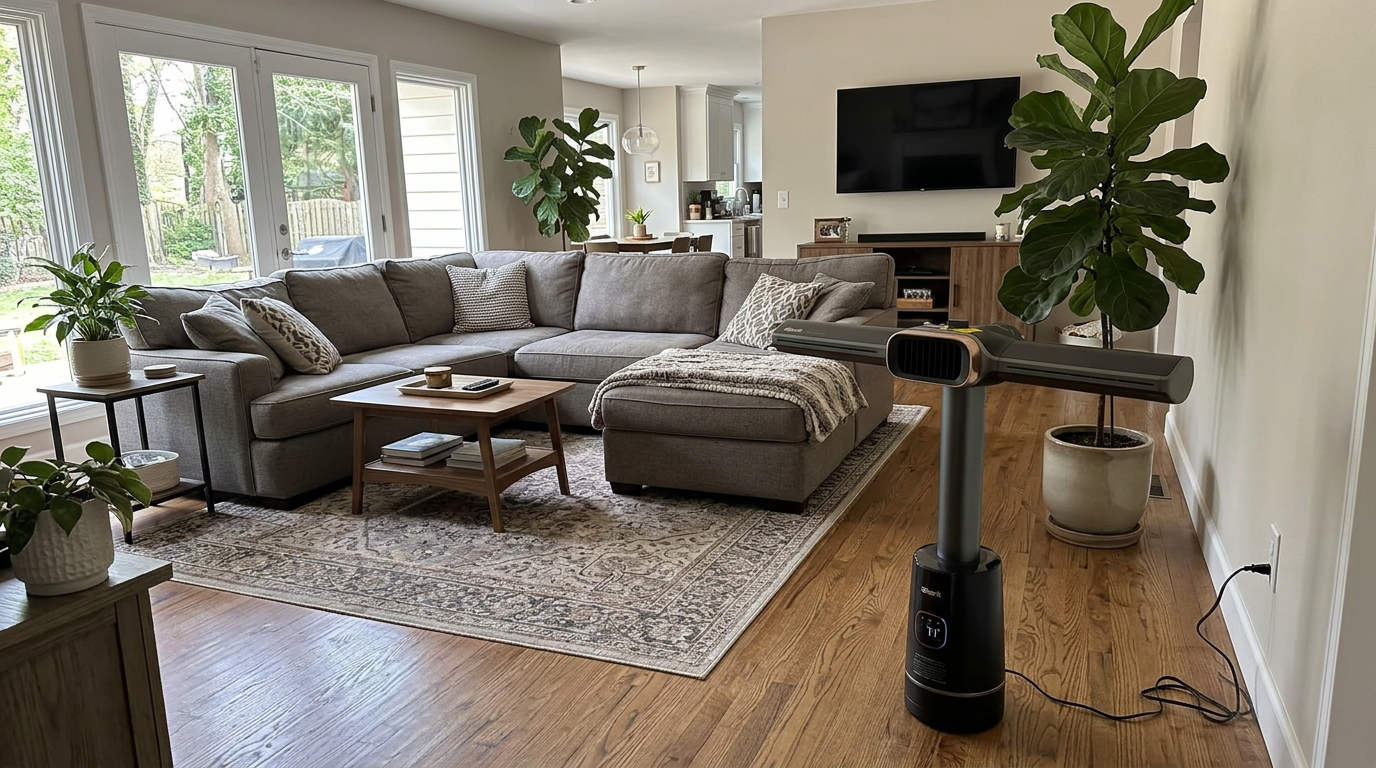
The blade head tilts up and down to direct the airflow.
Our tip: Tilt the head toward the ceiling in cooling mode when you want gentle circulation without a direct draft, because air bounces off the ceiling and spreads around the room.
Oscillation settings
The fan oscillates at 45, 90 or 180 degrees.
| Oscillation | Best for | What I noticed |
|---|---|---|
| 45 degrees | One person, a desk | Focused airflow |
| 90 degrees | A couch or seating area | Good everyday coverage |
| 180 degrees | Larger rooms, several people | Widest coverage |
The 90-degree setting covered my whole couch, so everyone felt the breeze or the warmth.
The 180-degree setting was useful in the open-plan living area.
Oscillation was smooth and quiet, with no clicking or jerking at the ends of the sweep.
Our tip: Pick the narrowest oscillation that still reaches everyone, because a focused sweep feels stronger and more consistent than a wide one that spends time pointing at empty space.
The timer
The timer switches the fan off after 1, 2, 4 or 8 hours.
You press the center button on the remote to cycle through the options.
In cooling mode, I set it for 2 hours at bedtime so the fan helped me fall asleep and then switched off.
In heating mode, I used 1 hour in the office during the morning, which covered the coldest part of the day.
It was a simple feature, but I used it almost every day.
Our tip: Set the timer every night you use the fan in the bedroom, because it lets you fall asleep comfortably without the fan running all night.
Noise levels
Noise mattered most in the bedroom and office.
On the lowest speeds, the fan was very quiet, just a soft whoosh of air.
At medium speeds, it was noticeable but not distracting during video calls.
On the highest speeds and Breeze Boost, it was clearly audible, like a strong fan should be.
How loud the fan sounded at each speed range.
Heat mode was about as quiet as cooling at the same fan speed.
Our tip: Use Sleep mode rather than just a low speed at night, because it also dims the lights and mutes the chimes, which makes a noticeable difference in a dark bedroom.
One appliance all year
The biggest benefit was having one appliance for both seasons.
Instead of storing a fan in winter and a heater in summer, I kept the TurboBlade out all year.
Switching between modes took a turn of the dial.
On mild days, I used cooling in the afternoon and heating in the evening.
That saved storage space and meant I only had one remote to keep track of.
Our tip: Leave the fan in one regular spot all year, because a single appliance for heating and cooling is most useful when it is always ready to use.
Safety and placement
A fan heater needs sensible placement.
- Place on a flat, stable, level floor
- Keep 3 feet clear of curtains, bedding and furniture in heat mode
- Plug directly into a wall outlet
- Do not cover the fan or block its airflow
- Switch off and unplug before cleaning
- Never leave heat mode running in an empty house
The tall shape is stable on a hard floor.
On thick carpet, I made sure the base sat flat before turning it on.
I kept it out of walkways so nobody would trip over the cord or bump the fan.
Our tip: Plug the fan directly into a wall outlet when using heat mode, because heaters draw a lot of power and extension cords can overheat.
Cleaning and maintenance
Maintenance was simple.
A small removable cover on the back gives access to check for dust.
Every two weeks, I unplugged the fan, removed the cover and brushed away dust with a soft, dry brush.
I wiped the outside with a soft cloth and never used water inside the fan.
When I used a slightly damp cloth on the outer cover, I let it dry fully before refitting it.
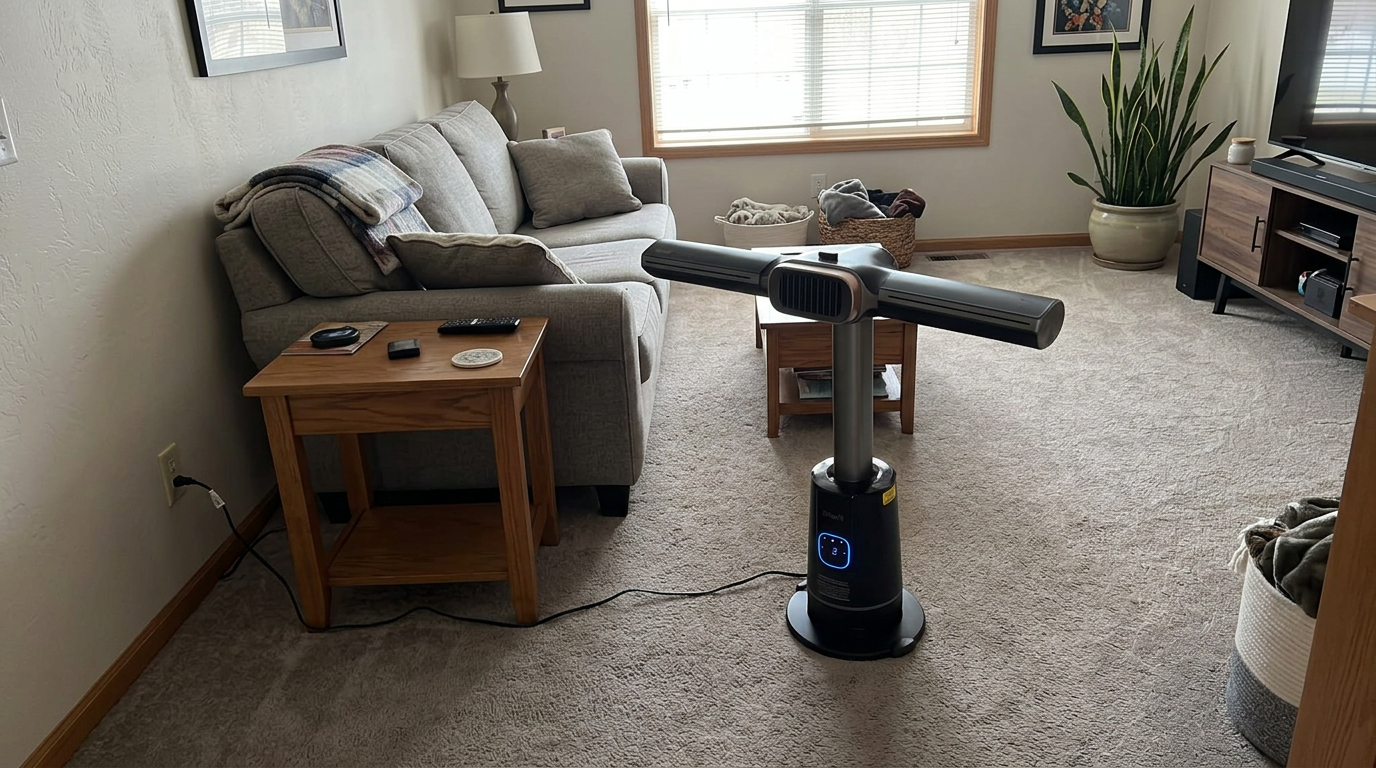
The slim body is easy to wipe clean.
Our tip: Brush dust from the rear cover area every couple of weeks, because dust buildup reduces airflow and can cause a dusty smell when heat mode starts.
Design and build
The TurboBlade looks modern and premium.
It looked more like a design piece than a household appliance.
The central body felt solid and stable.
The colored ring around the dial is a clever touch.
Blue means cooling and red means heating, so I always knew the mode at a glance.
The fan is fairly substantial, so it is not as easy to tuck away as a small desk fan.
Our tip: Place the fan where you can see the dial’s colored ring, because a quick glance at blue or red tells you instantly whether it is in cooling or heating mode.
What I would change
The TurboBlade is versatile, but there are a few limits.
- Switching between cooling and heating needs the dial, not the remote
- Some assembly is needed
- It is a fairly large appliance
- Cooling moves air but does not lower room temperature
- Heating suits one room rather than a whole house
None of these were serious problems for me.
The dial was a small inconvenience, but it also made accidental mode changes impossible.
Our tip: Remember that a fan cools you, not the room, because moving air helps your skin feel cooler but the air temperature stays the same.
Why a fan makes you feel cooler
A fan does not cool the air.
It makes you feel cooler through the wind chill effect✕Wind chill effectThe cooling feeling of moving air on your skin. Air flowing past you carries away body heat and speeds up sweat evaporation, so you feel cooler without the room getting colder..
Moving air carries heat away from your skin and helps sweat evaporate, which is how your body cools itself.
In my tests, a room at 77°F felt closer to 72°F with the fan on medium aimed at me.
That is why fans are best used when someone is in the room.
Running a fan in an empty room does not make it any cooler.
I got into the habit of switching it off when I left a room, which saved energy without losing any comfort.
Our tip: Switch the fan off when you leave a room in cooling mode, because a fan only cools the people it blows on and does nothing for an empty room.
How the heater works
In heat mode, the TurboBlade works as a forced-air heater✕Forced-air heaterA heater that warms air with an element and uses a fan to push it into the room, so you feel warmth quickly instead of waiting for heat to radiate slowly..
It heats air inside the body and blows it out through the head, so warmth reaches you quickly.
That makes it much faster to feel warm than an oil-filled radiator, which can take many minutes to heat up.
The trade-off is a gentle fan sound while heating, but on lower speeds it was very quiet.
Combining heat with tilt and oscillation meant I could send warmth exactly where I needed it.
Our tip: Aim heat mode at where you sit rather than at the middle of the room, because forced warm air feels most effective when it reaches you directly.
Does heat mode dry the air?
Heating air lowers its relative humidity✕Relative humidityThe amount of moisture in the air compared with the most it can hold at that temperature. Warmer air can hold more moisture, so heating air lowers its relative humidity., which can make a room feel drier.
In my bedroom, humidity dropped from about 45 percent to 38 percent over an evening of heating.
That was noticeable but mild.
Using Thermo IQ rather than running the heat constantly helped keep the room from getting stuffy.
On the coldest nights, I ran a small humidifier as well, which made the room feel fresher.
Our tip: Use Thermo IQ instead of running heat continuously, because holding a steady temperature avoids overheating the room and keeps the air from feeling as dry.
A workday in the home office
My home office was the best test of the TurboBlade's flexibility.
On cold mornings, I set Thermo IQ to 68°F and Focus mode aimed at my desk.
My legs warmed up within minutes, and the room settled at a comfortable temperature.
By the afternoon, when the sun warmed the room, I switched the dial to cooling and set a gentle speed with Natural Breeze.
On video calls, I dropped the speed to 3, and no one could hear it.
Having both modes in one appliance meant I never had to swap a heater for a fan during the day.
Our tip: Keep the fan near your desk if your office swings between cold mornings and warm afternoons, because switching from heat to cooling takes a quick turn of the dial.
Using it in the bedroom
In the bedroom, the TurboBlade was quiet enough to sleep with.
On cool nights, I used heat mode with Thermo IQ set to 64°F and the timer set to 2 hours.
On warmer nights, I used Sleep mode with the timer, which dimmed the lights and kept the chimes quiet.
I set the fan about 5 feet from the bed and tilted the head slightly so the air did not blow directly on my face.
The dimmed lights were dark enough that they did not bother me at all.
Our tip: Aim the fan at your body rather than your face at night, because a breeze directly on your face can dry your eyes and make it harder to fall asleep.
Energy use
In cooling mode, a fan uses very little electricity compared with air conditioning.
Heat mode uses much more power, as all electric heaters do.
Thermo IQ and the timer kept my heating use under control.
Once the room reached the target, the heater switched off and only the occasional cycle kept it warm.
Heating one occupied room instead of the whole house can make sense on cold days if you mainly use one room.
Our tip: Lower your central heating slightly and use the fan heater only in the room you are in, because warming one occupied room is often more efficient than heating the whole house.
Evenings in the living room
In the living room, my family sat on a three-seat couch and an armchair.
On mild evenings, I used cooling with 90-degree oscillation at speed 5.
Everyone felt a gentle breeze without anyone getting blasted.
On cold evenings, Comfort heat mode with 90-degree oscillation and Thermo IQ at 69°F kept the room cozy.
I placed the fan in a corner, angled toward the seating area, with clear space in front.
The remote stayed on the coffee table, and anyone could adjust it without getting up.
Our tip: Place the fan in a corner angled toward the seating area, because oscillation from a corner reaches more of the room than from the middle of a wall.
Moving the fan between rooms
The fan is tall but not heavy, and I moved it between rooms a few times a week.
I switched it off, unplugged it, let it cool for a few minutes after heating and carried it by the body with both hands.
The base stayed firmly attached when lifted, so it felt secure to carry.
Settings like speed and temperature needed resetting after moving it, which took a few seconds with the remote.
Our tip: Carry the fan by its central body with both hands rather than by the head, because the main housing is the sturdiest part and the head is designed to tilt.
Living with pets and children
With a curious dog and young children, I watched closely how safe the fan felt.
The blade head is enclosed, so there were no open blades for little fingers or paws.
In heat mode, I kept a clear zone around the fan and reminded the children not to stand right in front of it.
The dog liked lying in the warm air, so I made sure it stayed a sensible distance away.
I kept the remote out of reach so the children could not turn the heat up while I was out of the room.
Our tip: Keep the remote out of reach of small children, because it stops them from changing the heat or speed while you are not watching.
Clearing a warm kitchen
After cooking dinner, my open-plan kitchen and dining area often felt warm and stuffy.
I used Breeze Boost for a few minutes to move the warm air, then dropped to Natural Breeze at speed 5 while we ate.
Tilting the head slightly upward helped push the warm air that collects near the ceiling back around the room.
Within about ten minutes, the dining area felt fresh and comfortable again, without opening the windows on a cold evening.
Our tip: Use Breeze Boost briefly after cooking and then lower the speed, because a short strong burst moves the warm air quickly and a gentle breeze keeps it comfortable.
My three weeks with the Shark TurboBlade Fan + Heat
In week one, I assembled the fan and tested cooling speeds, modes, tilt and oscillation.
In week two, I tested heating, Thermo IQ, Comfort and Focus modes on colder mornings.
In week three, I focused on noise, the timer, bedroom use and cleaning.
| Week | Focus | Main finding |
|---|---|---|
| 1 | Cooling and airflow | 10 speeds, pleasant breeze modes |
| 2 | Heating and Thermo IQ | Steady warmth in one room |
| 3 | Noise, timer, bedroom | Quiet on low, useful timer |
Our tip: Spend a week trying different modes and angles in each room, because the best combination of speed, tilt and oscillation depends on where you sit.
Is the Shark TurboBlade Fan + Heat worth the money?
Yes, for anyone who wants one appliance to cool and heat a room through the year.
It is well made, flexible and easy to control from the remote.
The trade-offs are the dial for switching modes, some assembly and heating that suits one room.
For bedrooms, offices and living rooms, those hardly matter.
My category scores after three weeks.
How it compares with other ways to cool and heat a room
| Feature | Shark TurboBlade Fan + Heat | Basic pedestal fan | Ceramic space heater | Portable air conditioner |
|---|---|---|---|---|
| Cools you | Yes, 10 speeds | Yes | No | Yes, lowers temperature |
| Heats | Yes, 60 to 90°F | No | Yes | Sometimes |
| Thermostat | Thermo IQ | No | Sometimes | Yes |
| Tilt and oscillation | 90° tilt, up to 180° | Some oscillation | Rarely | Louvers |
| Remote | Yes, with display | Sometimes | Sometimes | Yes |
| Year-round use | Yes | Summer only | Winter only | Mostly summer |
| Your priority | Fit | Why |
|---|---|---|
| Bedroom at night | Excellent | Sleep mode and timer |
| Home office | Excellent | Focus heat at your desk |
| Living room | Very good | Wide oscillation |
| Large open spaces | Fair | Supplemental heat only |
| Hot rooms | Good | Cools you, not the room |
Which one is right for you: is the Shark TurboBlade Fan + Heat your match?
4 quick questionsShark TurboBlade Fan + Heat specifications
From manufacturer data, retailer listings and my own testing.
How I tested and scored the Shark TurboBlade Fan + Heat
For three weeks, the Shark TurboBlade Fan + Heat cooled and heated my living room, bedroom and home office.
I tested all ten speeds and every mode, measured airflow and room temperatures, timed heating and tracked Thermo IQ against a thermometer.
I also tested tilt, oscillation, the timer, noise and cleaning.
- Cooling (8.6): strong on high, gentle on low.
- Heating (8.4): steady warmth with Thermo IQ.
- Controls (8.8): remote with display, easy tilt and timer.
- Convenience (7.6): dial for mode switch, needs assembly.
My test scores were: cooling airflow 8.6, breeze modes 8.8, heating speed 8.2, Thermo IQ 8.8, tilt and oscillation 9.0, noise on low 9.0, timer 9.0 and assembly 7.4. The overall score of 8.3 is an editorial rating that reflects those results and three weeks of daily use.
Shark TurboBlade Fan + Heat FAQ
Is the Shark TurboBlade Fan + Heat worth it?
Yes, if you want one appliance that cools in summer and heats in winter.
How many fan speeds does it have?
Ten.
What cooling modes does it have?
Sleep, Breeze Boost and Natural Breeze.
What is the heating range?
About 60°F to 90°F.
What is Thermo IQ?
A built-in temperature control that heats to your target and switches off when it is reached.
What heating modes are there?
Comfort for gentle warmth and Focus for concentrated heat.
Does it oscillate?
Yes, at 45, 90 or 180 degrees.
Can I tilt the airflow?
Yes. The head tilts up and down by up to about 90 degrees.
Does it have a timer?
Yes, 1, 2, 4 or 8 hours.
How do I switch between heating and cooling?
Turn the dial on top to blue for cooling or red for heating.
Does it cool the room like air conditioning?
No. It moves air to make you feel cooler, but it does not lower the room temperature.
Does it need assembly?
Yes, a few parts twist and lock together in about ten minutes.
Senior home appliance tester
Emily has tested home appliances for a living since 2016, first as a test coordinator at a national consumer advocacy group and, since 2021, at HouseholdMe. She has a degree in industrial design from Ohio State, so she looks at how a product is built, not just how it performs. She used the Shark TurboBlade Fan + Heat at home for three weeks for this review.
- Three weeks of hands-on testing of the Shark TurboBlade Fan + Heat
- Manufacturer product information and instruction manual